
Deployment
New devices set themselves up the moment they are switched on, wherever your people are.
- Apple Business
- Apple School Manager
- Automated Device Enrollment
- Zero-touch setup
- Enrolment profiles
- Provisioning by role
Apple & Mac
TexArxs deploys, manages, secures and supports Apple devices at work, so they stay out of your people’s way. For companies that run on Mac, iPhone and iPad devices and want them handled by people who know them well.

Apple device management is how a company buys, sets up, secures, supports and retires its Mac, iPhone and iPad devices. With Apple Business (or Apple School Manager for education) and a device management platform, new devices configure themselves, settings stay consistent and lost devices can be locked or wiped.
TexArxs looks after that whole lifecycle, and connects it to the identity, security and SaaS tools your company already runs.
New devices set themselves up the moment they are switched on, wherever your people are.
Every device stays configured the way you decided, without manual work, on the MDM platform that suits you. We are not tied to any one vendor.
Protection built on what macOS already does well, with the gaps filled.
Support designed for macOS, with fixes that address the cause rather than workarounds.
From the day a device is ordered to the day it is wiped and reused.
Why It Matters
Mac devices often arrive in companies built around Windows. The usual result is workarounds. Here is the difference a specialist approach makes.
Health Check for Your Apple Setup
Answer eight quick questions. Your answers stay in your browser; nothing is sent to us.
Planning new starters? Tick through our free Mac Onboarding Checklist for zero-touch setup.
We learn how your people work, what you run today and what is getting in the way.
You get a written plan: what changes, in what order, and how we will know it worked.
We make the changes in stages, test them with a small group first and keep you informed.
We document what we built and keep it running, or hand it over to your team.
Apple devices sit inside a bigger environment. We look after that too.
TexArxs sets up and runs device management for Mac, Windows, iPhone, iPad and Android devices.
TexArxs helps you protect devices and control who can reach what, without making work harder.
TexArxs provides remote IT support for Mac and Windows users.
TexArxs helps you choose and plan the right tools for your devices, identity and security.
TexArxs runs the routine IT work that keeps a company moving.
Need a Mac engineer on your own team? Hire Mac and Jamf Administrators · Hire Mac Support Engineers
Our work
Apple & Mac
A major retailer · Retail · United States
Apple & Mac
An IT product company · Technology · India
Apple & Mac
A practical checklist for onboarding new starters on Mac devices with zero-touch setup, from ordering and Apple Business to day-one apps and security.
Apple & Mac
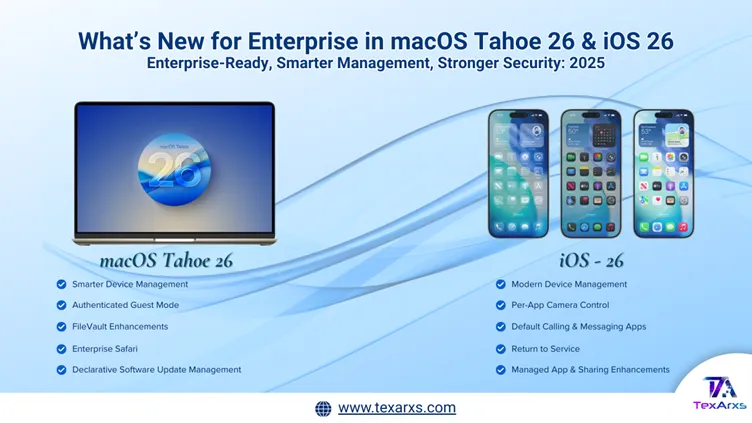
What macOS Tahoe 26 and iOS 26 change for IT teams: declarative management, FileVault over SSH, Platform SSO and new security controls.
Apple & Mac
The WWDC25 updates for Apple device management: Managed Apple Accounts, enrolment, app management and enterprise security, for IT teams.